
April 28, 2026
Most business owners are using AI like a smarter search bar.
That is the problem.
They open a chatbot, ask for a few ideas, copy a few paragraphs, maybe generate a social post, then wonder why the results feel generic, disconnected, and forgettable.
Here is the uncomfortable truth. AI is not failing most businesses. Most businesses have failed to give AI the structure it needs to succeed.
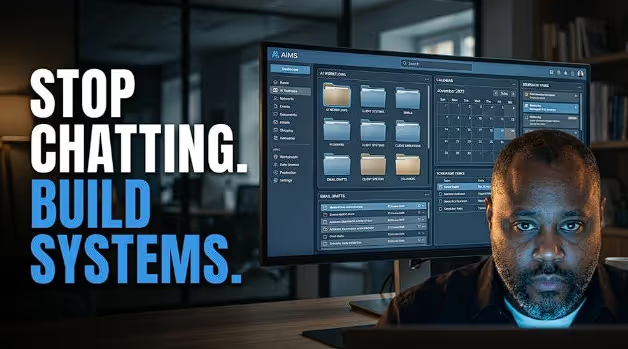
The next phase of AI is not about who has the best prompt. That era is already getting crowded. The real advantage now belongs to the business owner who can turn AI into a working operating system.
Not a toy.
Not a chatbot.
Not a random productivity hack.
A real assistant that understands your business, reads your context, connects to your tools, remembers your preferences, works inside your folders, drafts your communication, creates usable files, and eventually handles scheduled work before you even sit down at your desk.
That is where this is going.
And for local retailers, service businesses, creators, agencies, consultants, and entrepreneurs, this shift is bigger than most people realize.
The AI Gap Is No Longer Access. It Is Setup.
Everybody has access to AI now.
That means access is no longer the advantage.
The advantage is configuration.
Two business owners can use the same AI tool and get completely different outcomes. One gets vague content ideas and bland email drafts. The other gets a daily briefing, cleaned-up files, project documents, customer reply drafts, calendar prep, research summaries, sales assets, and operational support.
Same tool.
Different system.
That gap is going to separate casual AI users from serious operators.
Most people are still stuck at the blank screen stage. They open the tool and ask, “What can this do?” That is the wrong question.
The better question is, “What part of my business should this be responsible for?”
That one question changes everything.
AI becomes useful when you stop treating it like a guest and start onboarding it like a team member.
Your AI Needs a Workspace, Not Just a Prompt
The first real unlock is giving AI a defined workspace.
This matters more than most business owners think.
A proper AI workspace gives the assistant boundaries. It knows where to work, what files it can access, what it should ignore, and where outputs should be stored.
That does two things.
First, it reduces risk. You are not giving AI unlimited access to your entire machine or your entire business. You are creating a controlled environment.
Second, it gives the system structure. Instead of scattering documents, drafts, research, reports, and project files everywhere, you create a shared workspace where AI can operate cleanly.
For a business owner, this could look like:
A folder for company context.
A folder for active projects.
A folder for outputs.
A folder for brand voice.
A folder for customer support templates.
A folder for marketing campaigns.
A folder for weekly reports.
That sounds simple, but simple structure is what makes AI dependable.
The biggest mistake people make with AI is assuming intelligence replaces organization. It does not. AI still needs architecture.
A messy business plus AI usually becomes a faster messy business.
A structured business plus AI becomes leverage.
Global Instructions Are Your AI Employee Handbook
The second unlock is creating global instructions.
Think of this as the employee handbook for your AI assistant.
This is where you define how it should work with you every time.
Not just once.
Every time.
For business owners, this should include:
Who you are.
What your business does.
Who your customers are.
What tools you use.
How you like to communicate.
What tone you prefer.
What decisions require approval.
What the AI should never do without permission.
What kind of answers you want.
What kind of answers you hate.
This is where most people get lazy. They expect AI to “just know.” That is how you get generic output.
If you run a local retail store, your AI needs to know your product categories, customer profile, seasonal cycles, promotion style, inventory realities, and local market.
If you run an agency, it needs to know your offers, client types, deliverables, proposal style, reporting rhythm, and sales process.
If you are a consultant, it needs to know your frameworks, point of view, client pain points, pricing logic, and communication style.
AI cannot represent your business well if you have not taught it what your business actually is.
The “About Me” Folder Is Really an “About the Business” Folder
Here is where this gets serious.
The smart move is to create a dedicated context folder that tells the AI who you are and how your business works.
This is not busywork. This is the foundation.
Inside that folder, every business should have a few core files.
An “About” file that explains the business, audience, offers, tools, projects, priorities, and current goals.
A “Memory” file that tracks decisions, preferences, recurring facts, and project updates.
A “Writing Rules” file that explains your voice, your banned phrases, your style preferences, and what makes your brand sound like you instead of a machine.
This is how you stop AI from sounding like AI.
Most AI writing sounds fake because the system has no real reference point. It fills the gap with generic internet language. That is why you get phrases like “in today’s fast-paced digital landscape” and “unlock your potential.”
Nobody talks like that in a real business conversation.
Your writing rules should be direct. Ban fluff. Ban filler. Ban fake enthusiasm. Ban corporate fog. Ban words you would never say out loud.
For AIMS, the standard is clear.
Confident.
Practical.
Business-focused.
Contrarian when needed.
No academic fog.
No lifeless tech jargon.
No pretending every trend is revolutionary.
That is how you build a voice that carries authority.
Connectors Turn AI From Writer Into Operator
The next major shift is connecting AI to the tools where your business actually lives.
Email.
Calendar.
Docs.
Cloud storage.
Project management.
Notion.
Spreadsheets.
CRM.
Website tools.
Automation platforms.
This is where AI stops being a content generator and starts becoming an operational layer.
For example, when AI can access email and calendar, it can prepare your day. It can identify important messages, summarize follow-ups, draft replies, flag meetings, and help you walk into the day with context.
When AI connects to your knowledge base, it can answer questions using your actual business information instead of guessing.
When AI connects to your project database, it can tell you what is overdue, what is blocked, and what needs attention.
For a local retailer, imagine asking:
“What promotions did we run last spring, what performed best, and what should we repeat this year?”
For a service business:
“Review my unread emails, identify potential sales opportunities, and draft replies for my approval.”
For a marketer:
“Pull together the campaign notes, customer objections, and last month’s analytics into a one-page brief.”
That is not futuristic. That is already practical.
But here is the catch.
Connections without rules are risky. Connections with clear permissions are powerful.
Your system should be built around approval. Draft, do not send. Recommend, do not publish. Organize, do not delete without approval. Prepare, do not commit money or sign contracts.
This is how business owners should think about AI access. Not fearfully. Not recklessly. Operationally.
Skills and Plugins Are the New Business Departments
The next level is teaching AI specific capabilities.
Document creation.
Spreadsheet cleanup.
Presentation building.
PDF generation.
Research summaries.
Sales briefs.
Legal document triage.
Customer support workflows.
Marketing strategy.
Content repurposing.
Code review.
Lead research.
This is where skills and plugins become interesting.
The practical way to understand it is this:
Skills are tools.
Plugins are specialists.
A skill might help AI create a formatted Word document or a polished presentation.
A plugin might act like a customer support assistant, legal reviewer, marketing strategist, or engineering analyst.
For businesses, this is where AI becomes modular.
You do not need one generic assistant doing everything badly. You can build specialized systems that handle specific business functions.
A retail store could have:
A weekly promotion planner.
A product description writer.
A customer review responder.
An inventory briefing assistant.
A local SEO content assistant.
A holiday campaign builder.
An email newsletter repurposer.
An agency could have:
A proposal builder.
A client onboarding assistant.
A meeting recap agent.
A campaign strategist.
A reporting assistant.
A social content repurposer.
A lead qualification assistant.
This is the real move. Not “use AI.” Build a bench.
Scheduled Tasks Are Where AI Starts Feeling Like Staff
The most provocative shift is scheduled work.
This is where AI stops waiting for you to ask and starts operating on a rhythm.
A weekday inbox triage.
A Monday morning sales briefing.
A Friday project status report.
A daily calendar prep.
A weekly content idea report.
A monthly customer review summary.
A recurring competitor scan.
A lead follow-up draft list.
This matters because most businesses lose time to recurring low-value work.
Not because the owner is lazy.
Because the work keeps returning.
AI scheduled tasks give you a way to turn recurring business friction into recurring business leverage.
Imagine walking into your business every morning and already having:
The urgent emails summarized.
Draft replies prepared.
Calendar conflicts flagged.
Open tasks prioritized.
Customer issues grouped.
Sales opportunities highlighted.
Campaign ideas suggested.
That does not replace leadership. It gives leadership a cleaner dashboard.
And that is the point.
AI should not make the business owner less involved. It should make the business owner less buried.
The Real AI Advantage Is Context
Here is the bigger picture.
AI without context is a vending machine.
AI with context is infrastructure.
That difference matters.
Most business owners complain that AI gives generic results. But the real issue is that they are feeding it generic inputs.
No business context.
No customer context.
No brand voice.
No workflow map.
No project history.
No memory.
No connected tools.
No approval rules.
No output structure.
Then they blame the tool.
The businesses that win with AI will not be the ones chasing every new feature. They will be the ones building clean systems around a few powerful use cases.
That is the contrarian part.
You do not need more AI tools.
You need fewer tools with better architecture.
What Business Owners Should Build First
Start with the basics.
Create a dedicated AI workspace.
Write clear global instructions.
Build an “About the Business” folder.
Create a memory file.
Document your brand voice.
Connect only the tools you trust.
Set approval rules.
Create output folders.
Build one useful recurring task.
Do not try to automate the entire business in week one.
That is how people overwhelm themselves.
Pick one painful workflow.
Email triage.
Content repurposing.
Weekly planning.
Customer follow-up.
Sales prep.
Internal reporting.
Build around that first.
Then expand.
The goal is not to build a sci-fi assistant overnight. The goal is to build a dependable business system that gets smarter with use.
The Bottom Line

AI is moving from conversation to operation.
That is the shift most people are missing.
The old question was, “What can AI write for me?”
The new question is, “What part of my business can AI help run with supervision?”
That is a much bigger question.
And it is where the opportunity is.
Business owners who treat AI like a chatbot will keep getting chatbot-level results.
Business owners who onboard AI like an employee, train it with context, connect it to the right systems, give it clear boundaries, and assign it recurring work will move faster than competitors who are still copying and pasting prompts from social media.
This is not about replacing people.
It is about replacing operational drag.
That is the real business case.
The future does not belong to the business with the most AI tools.
It belongs to the business with the cleanest AI operating system.